

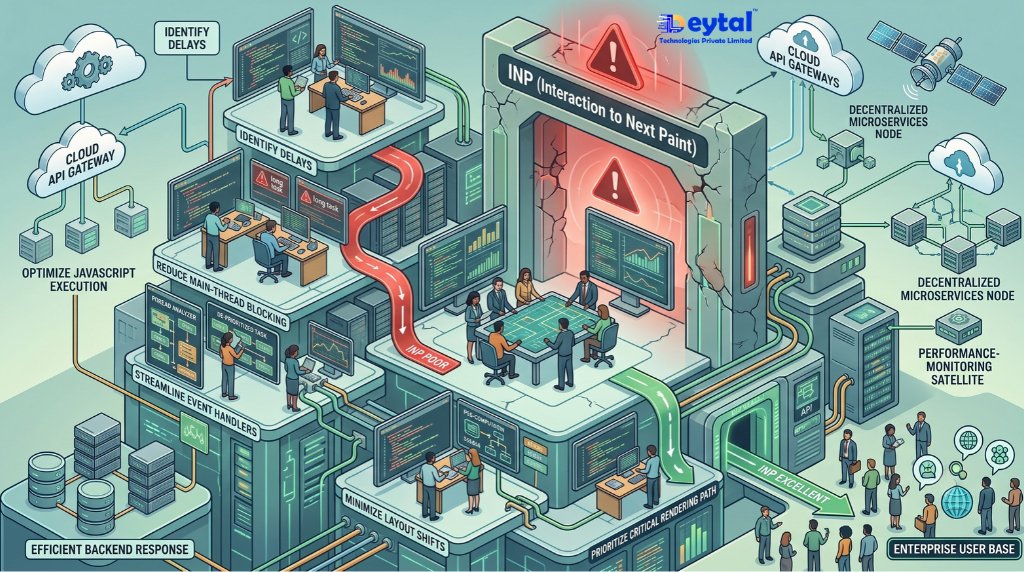
For years, technical search engine optimization concentrated on initial page delivery metrics: time to first byte (TTFB) and First Contentful Paint (FCP). However, search engines and real-world users do not evaluate a web application solely on its initial paint. Enterprise single-page applications (SPAs), complex portals, and JavaScript-heavy storefronts often achieve acceptable loading times while failing basic usability during interactive sessions manifesting as frozen form fields, laggy navigation drawers, and dropped touch events.
Google’s integration of Interaction to Next Paint (INP) into the official Core Web Vitals framework fundamentally shifts algorithmic evaluation from static load speed to runtime responsiveness. Unlike its predecessor, First Input Delay (FID) which only measured the delay of a visitor’s very first click INP evaluates the latency of every click, tap, and keyboard interaction across the entire lifecycle of a page visit. For enterprise portals, maintaining sub-200ms INP thresholds requires re-architecting how client-side JavaScript utilizes the browser’s single-threaded event loop.
The Silent Causes of Interaction Latency (INP Failures)
Modern web applications fail real-user monitoring (RUM) audits due to identifiable client-side execution bottlenecks:
- Monolithic JavaScript Execution (Long Tasks): Script evaluations exceeding the 50ms boundary lock the browser main thread, preventing it from parsing incoming user inputs.
- Third-Party Tag Accumulation: Uncontrolled tag managers running heatmap trackers, chat widgets, and ad-tech scripts introduce un-prioritized script contention during active browsing.
- Heavy Framework Hydration: Monolithic client-side hydration passes parse massive JSON state trees upon load, stalling interactions while users attempt to navigate.
- Layout Thrashing & Forced Synchronous Reflows: Interleaving DOM reads with DOM writes within rapid event handlers forces the browser rendering engine into repeated recalculations before presenting the next frame.
First Input Delay (FID) vs. Interaction to Next Paint (INP)
| Core Dimension | Legacy Metric: First Input Delay (FID) | Current Standard: Interaction to Next Paint (INP) |
| Measurement Scope | Measures only the first user interaction on the page | Evaluates all user interactions throughout the full session |
| Duration Tracked | Input delay only (time until execution begins) | Full duration: Input Delay + Processing Time + Presentation Delay |
| Evaluation Standard | 75th percentile of sessions $\le$ 100ms | 75th percentile of sessions $\le$ 200ms |
| Diagnostic Target | Initial script execution during cold page load | Long-running event handlers, DOM re-renders, and animation lag |
| Ranking Weight | Deprecated from Core Web Vitals | Active ranking signal in Google Search Console Core Web Vitals reports |
Strategic Pillars for Engineering Sub-200ms Core Web Vitals
1. Main-Thread Task Splitting & Algorithmic Yielding
Break long-running computational routines into discrete micro-tasks using native browser APIs like scheduler.yield() or requestIdleCallback(). Engineering lean, non-blocking data transformations through Custom Software Development Services prevents background calculations from interrupting user taps and keyboard strokes.
2. Hydration Optimization & Island Architectures
Eliminate full-page hydration passes by adopting partial hydration, selective islands, or server components (RSC). Modernizing web application rendering pipelines via Website Development Services ensures buttons and navigation elements become interactive the moment they paint on screen.
3. Optimistic UI & Ergonomic Feedback States
INP measures the time until the browser draws the next frame. Even if a backend API request takes 500ms, the interface can pass INP if it renders immediate visual acknowledgement (like an active state, skeleton screen, or spinner) within 50ms. Designing immediate interactive states and ergonomic transitions through UI/UX Design Services ensures user feedback is instantaneous.
4. Low-Overhead Native Mobile Runtimes
Prevent mobile web wrappers from delivering sluggish hybrid experiences. Building native iOS and Android clients with compiled UI trees via Mobile App Development Services completely avoids browser main-thread limitations on resource-constrained handheld devices.
5. Script Governance & Technical SEO Optimization
Isolate third-party analytics and tracking tags into web workers using modern libraries (such as Partytown) or server-side endpoints. Pairing streamlined CMS architectures via WordPress Development Services with advanced technical SEO Services eliminates third-party script contention, secures green CrUX field data, and sustains top organic rankings.
6. Revenue-Driven Conversion Architecture
A 100ms improvement in interface responsiveness directly correlates with lower cart abandonment and higher enterprise lead submissions, tracked and optimized through data-backed Digital Marketing Services.
Achieve Green Core Web Vitals with Deytal Technologies
Resolving enterprise INP failures requires more than running synthetic lab audits; it demands profiling real-user field data (CrUX), refactoring client-side JavaScript dependencies, and streamlining DOM rendering pipelines. Deytal Technologies Pvt. Ltd. audits, optimizes, and re-engineers complex web architectures to eliminate main-thread bottlenecks, pass Core Web Vitals thresholds, and maximize organic search authority.
Frequently Asked Questions (FAQ)
Q1: What are the specific performance thresholds for Interaction to Next Paint (INP)?
According to Google’s Core Web Vitals standards, an INP score of 200 milliseconds or less represents “Good” responsiveness. A score between 200ms and 500ms indicates “Needs Improvement,” while any interaction latency exceeding 500 milliseconds is categorized as “Poor” and can negatively influence search rankings.
Q2: What is the difference between lab data and field data when auditing INP?
Lab data (such as standard Lighthouse runs) uses simulated environments and cannot capture true INP because it does not have a human user clicking, scrolling, and typing over an extended session. Field data (collected via the Chrome User Experience Report, or CrUX) measures real-world user interactions on diverse devices and networks, making field monitoring essential for Google Search Console compliance.
Q3: How does scheduler.yield() improve INP compared to traditional setTimeout hacks?
scheduler.yield() is a purpose-built browser API that temporarily yields execution back to the browser’s main thread to let pending high-priority input events process, then resumes JavaScript execution immediately without losing its priority in the task queue, avoiding the artificial 4ms clamp and unpredictable delays of setTimeout(fn, 0).