

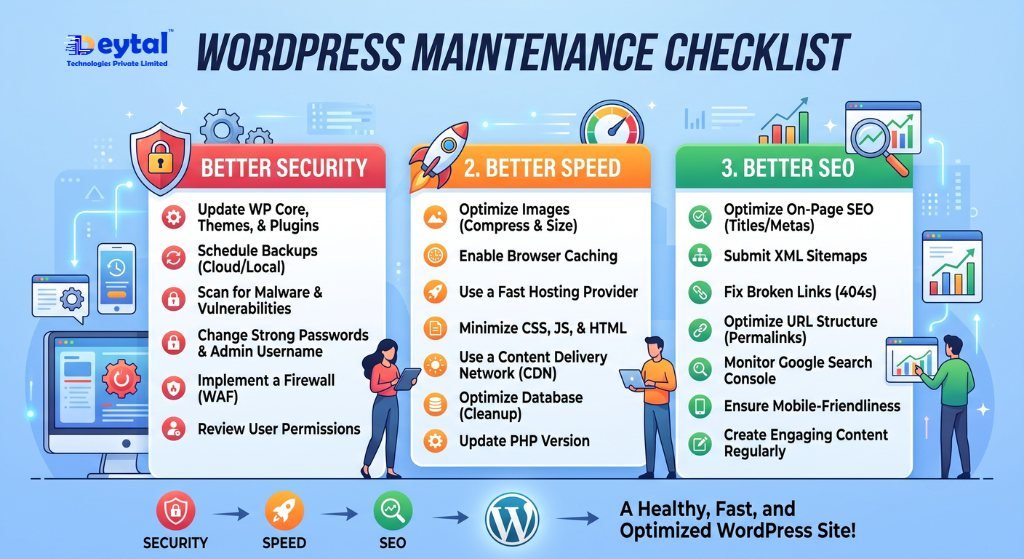
WordPress powers millions of business websites worldwide because of its flexibility and ease of use. However, simply launching a WordPress website isn’t enough. Without regular maintenance, your website can become slow, vulnerable to security threats, and even lose its search engine rankings.
A proper WordPress Maintenance Checklist helps ensure your website remains secure, fast, and optimized for both users and search engines. Whether you own a small business or an eCommerce store, regular maintenance is essential for long-term success.
Why WordPress Maintenance Is Important
Keeping your WordPress website updated offers several benefits, including:
Improved website security
Faster loading speed
Better SEO performance
Reduced downtime
Enhanced user experience
Ignoring maintenance can lead to broken pages, plugin conflicts, malware infections, and poor website performance.
Essential WordPress Maintenance Checklist
- Update WordPress Core
WordPress regularly releases updates to improve security and performance. Running an outdated version can expose your website to vulnerabilities.
Always update your WordPress core after creating a complete website backup.
- Update Themes and Plugins
Themes and plugins add functionality to your website, but outdated versions can create compatibility and security issues.
Regularly:
Remove unused plugins
Update active plugins
Keep themes updated
Check for plugin conflicts
Professional WordPress Development services can help manage updates without affecting website functionality.
- Take Regular Website Backups
Backups protect your website against accidental data loss, hacking, or server failures.
A good backup strategy should include:
Automatic daily or weekly backups
Cloud storage
Easy restore options
Backups are one of the most important parts of professional Website Maintenance.
- Improve Website Speed
A slow website affects both customer experience and Google rankings.
Optimize your website by:
Compressing images
Removing unnecessary plugins
Enabling browser caching
Optimizing the database
Using quality web hosting
A fast website improves engagement and supports your overall SEO Services strategy.
- Strengthen Website Security
Cybersecurity threats continue to grow every year. Protect your WordPress website by:
Using strong passwords
Installing a trusted security plugin
Enabling SSL (HTTPS)
Limiting login attempts
Scanning for malware regularly
A secure website builds trust and protects customer information.
- Check for Broken Links
Broken links create a poor user experience and negatively impact SEO.
Regularly review:
Internal links
External links
Missing pages
Redirect errors
Fixing broken links helps visitors navigate your website smoothly and improves search engine crawling.
- Monitor Website Performance
Track your website regularly using tools like Google Analytics and Google Search Console.
Monitor important metrics such as:
Page speed
Organic traffic
Bounce rate
Website uptime
User behavior
Performance monitoring helps identify issues before they affect your business.
When Should You Perform WordPress Maintenance?
A simple schedule can keep your website healthy:
Weekly: Update plugins, scan for malware, and check backups.
Monthly: Review website speed, fix broken links, and test contact forms.
Quarterly: Conduct a complete SEO and security audit.
Following this routine helps maintain a stable and high-performing website.
How Deytal Technology Pvt. Ltd. Can Help
At Deytal Technology Pvt. Ltd., we provide professional WordPress maintenance services to keep your website secure, updated, and optimized for growth.
Our services include:
Website Development
Web Designing
WordPress Development
Website Maintenance
SEO Services
Digital Marketing
Ecommerce Development
Web Application Development
UI/UX Design
Conclusion
Regular WordPress maintenance is essential for protecting your website, improving performance, and maintaining strong SEO rankings. By following a consistent maintenance checklist, businesses can reduce technical issues, improve customer experience, and ensure long-term online success.
If you want a secure and high-performing WordPress website in 2026, regular maintenance should be a top priority.